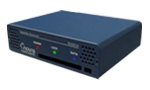


Novra Support
Novra Engineers and technicians combine expertise in circuit design, hardware integration, software development, and system deployment and management to offer robust playout devices designed for stand-alone operation.
Feel free to contact us regarding any Novra Datacasting Product or Digital Signage system by email or by telephone during business hours 9:00 AM to 5:00 PM (CST), Monday to Friday.
Downloads - Configuration GUI's/Manual
The Graphical User Interface (GUI) and Users Manual for Novra's products can be downloaded from the table below. This Windows-based GUI may be used to configure and monitor your Novra receiver. If you do not see your receiver or IP Encapsulator model in the table below, or if your download does not seem to work correctly, please contact Novra Customer Support.
PRODUCT |
GUI |
MANUAL |
LICENSE |
| S300, S300D, S300E, S300V, S300CA |  |
 |
|
| S300N (NOAA) | |
|
|
| S200, S200-Pro, S200CA | |
|
|
| S75+, S75-Pro, S75CA | |
|
|
| S75 | |
|
|
| A75 | |
|
|
| IPE-410C (Build 3.37) | |
|
Downloads - Receiver Command Line Tools
The Central Management and Control Software (CMCS) is an extensive command line tool that can be used to configure and monitor you network of Novra receivers. It includes an interactive command set and a built-in scripting language that facilitates the development of custom control/monitoring applications.
CMCS is available on a number of popular OS platforms (see tables below).
CMCS |
S75+, S75-Pro, S75CA, S200, S200Pro, S200CA and the S300N |
S300, S300V, S300CA |
|---|---|---|
| Linux | |
|
| Windows | |
|
| MacOS Executable | |
|
| FreeBSD Executable | |
|
| Solaris x86 | |
|
| Manual | |
|
| Quickstart Guide | |
|
| Software License | |
|
Downloads - Receiver Firmware
The latest firmware version available for your Novra receiver is provided in the table below.
Receiver |
F/W Version |
File |
|---|---|---|
S300 |
V1R4 |
|
S300V |
V1R4 |
|
S300N |
V2R11 |
|
S200 Plus |
V2R6 |
|
Please use your Novra receiver GUI or CMCS to update your receiver firmware. More information can be found in your Novra S300N User Manual, Section 4.5 or CMCS User Manual, Section 4.2.1.14.
If your Novra receiver is not listed in the above table and you wish to request a firmware update, please email your receiver model number and build number (both labeled on the outside of the unit) to Novra Customer Support indicating your request.
S300N for NOAAPort
Please use the tables above to ensure your S300 firmware and configuration/monitoring tools are up to date. If you need assistance configuring your S300N to receive the NOAAPort DVB-D2 signal, you can use the table below to download a zipped copy of S300N configuration XML file for the NOAA AWIPS or NWWS services. This XML file can be used to load the standard NOAA configuration into your S300N using the Novra GUI or CMCS. Please consult your manual for instructions on how to load XML configuration files into the S300N.
S300 XML Config File |
File |
|---|---|
| NOAA-AWIPS | |
| NOAA-NWWS | |

